
Last month I decided to put ChatGPT to the test to see if I could use AI to plan my trip. It’s a question I get a lot: can AI plan my trip for me? The short answer is yes, but with a few caveats.
Firstly, the trip I was planning was one I’d done before, and to three regions of France I know very well, allowing me to truly test ChatGPT to see if it was going to give me any bum steers.
Did it save me time? Definitely. Would I use it again to plan a trip in an area I didn’t know? Yes, I would, but only because I now know exactly what to ask, and what to never trust it with.

9 Ways I Used AI To Plan My Trip
Below are the ways that worked for me when using AI to plan my trip, along with the actual prompts I used so you can copy them. Of course, you’ll need to substitute my place names and dates for your own. I used ChatGPT for everything.
At the end, you’ll find 3 ways it failed spectacularly and what to do instead.
1. Building a Realistic Multi-Stop Itinerary
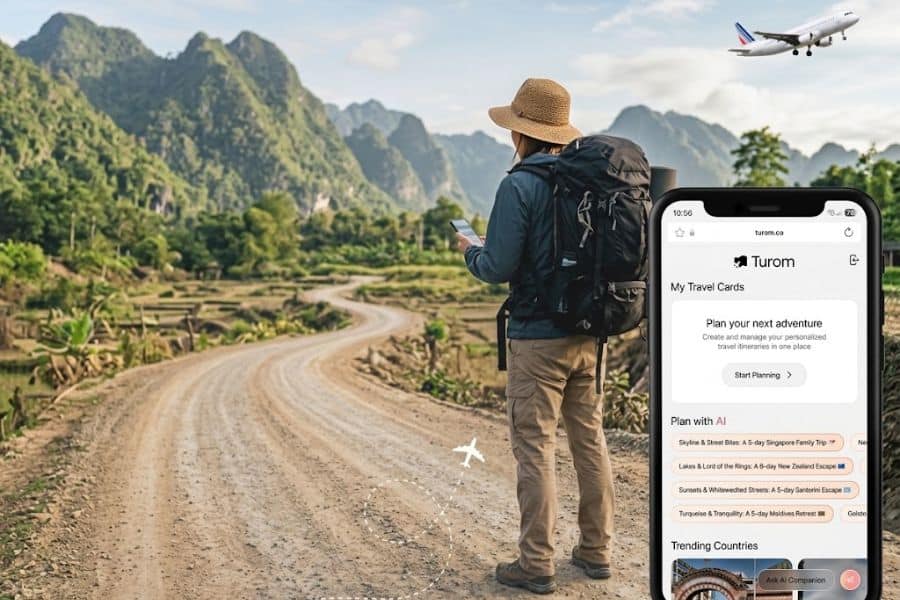
The first job AI is truly good at is untangling geography. You give it your dates, arrival airport, must-sees, and pace, and it drafts a plan that doesn’t have you driving 4 hours a day.
It’s so easy to try to pack too much into one day or to underestimate how long it will take to see and drive somewhere.
The prompt that worked:
“Act as a travel planner familiar with southwest France. Build me a 12-day itinerary starting and ending at Bordeaux airport, with no more than 90 minutes of driving between stops, at least 2 nights per base, and at least one market day worked into each base. We like medieval towns, museums, history, and good food. Two travelers, mid-60s, moderate walking ability. Output as a day-by-day table with base town, drive time from previous base, and 2 to 3 suggested activities per day.”
What you get back is a solid first draft, not a finished plan. You’ll need to check every drive time against Google Maps because the model sometimes optimizes on distance rather than road quality, and rural French D roads take longer than they look.
Treat the output as a great starting point that has saved you hours of plotting and planning.
2. Finding Villages You’d Never Otherwise Hear Of

The big-name villages in France, and many other European countries, are big-name for a reason, and they’re also packed by 10 am in July.
AI is useful for surfacing second-tier places that give you a better flavor of local life, with plenty of history and stories, if you ask it correctly. The trick is to specify the vibe, the size, and what you want to avoid.
The prompt that worked:
“I’m staying near Sarlat for 4 nights. Suggest 6 villages within a 45-minute drive that have fewer than 1,500 residents, a working weekly market, at least one restaurant open for lunch, and are not on the standard ‘plus beaux villages de France’ tourist circuit. For each village, tell me the market day, one thing worth seeing, and one reason someone might skip it.”
That last clause is a good one, as forcing the model to name a downside stops it from lapsing into the tourist-brochure speak, where every village is a jewel. It drives me nuts when it does that.
You’ll get a more honest response, like “limited parking on market day” or “the church is closed except for Sunday mass,” which is exactly what you need to decide whether you want to go.
3. Helping You Set a Travel Budget

Budgeting is not my strong point, and it’s not something I enjoy. It’s one of those tasks you keep putting off as it’s not fun. However, this is where I can easily make a case for using AI. Give it your itinerary, your travel style, and a currency, and it’ll build you a category-by-category budget you can actually work from, rather than a vague “should be fine”.
The prompt that worked:
“Build me a daily budget in US dollars for a 12-day trip for two adults in southwest France, based in stone farmhouses and small hotels, mid-range, not luxury. Base it on this itinerary: [paste itinerary]. Break costs into accommodation, meals, museum and cave entry fees, wine tastings, tolls and fuel, and miscellaneous. Assume dinner out most nights and lunch from markets some days. Add a 15 percent contingency line and show the total for the trip and the average daily spend.”
If you know the costs of things, such as accommodation, add them in so it’s as accurate as possible.
4. Getting Real Answers on Driving and Tolls
France runs on toll roads for long stretches, and some of them can have a pretty hefty price tag, easily running you $80 in tolls alone. AI can tell you where the tolls are and how much you can expect to pay for each journey.
And then there’s the fuel. Fuel prices vary significantly between countries, so having an idea of how much each journey will cost in fuel and tolls helps with budgeting.
The prompt that worked:
“Estimate the total toll and fuel cost for this route in a compact European rental car, assuming August 2026 prices: Bordeaux airport to Sarlat, Sarlat to Rocamadour and back, Sarlat to Saint-Cirq-Lapopie and back, Sarlat to Bordeaux airport via Saint-Émilion. Show tolls and fuel separately, in US dollars, and note any stretches where a non-toll alternative adds less than 20 minutes.”
5. Eating Out & Dietary Restrictions

Eating out abroad always comes with its own set of unwritten rules. AI knows the general dining customs and hours for wherever you’re headed, and it can translate exactly what you need to say at the table if you or someone in your group has a dietary restriction, rather than you fumbling through a phrase book over the bread basket.
The prompt that worked:
“For a trip to [your destination] in [month and year], tell me the typical lunch and dinner service hours for local restaurants, which days they’re most likely to close, and how far in advance I should book for a Saturday dinner in high season. Also give me polite phrases in the local language I can say to a waiter to explain a gluten intolerance and a shellfish allergy, plus the local menu terms I should watch for on a menu for both.”
Swap in wherever you’re going, and it’ll adjust the whole answer accordingly, siesta hours in Spain, aperitivo timing in Italy, whatever the local rhythm happens to be. The dining hours and phrases were spot on for me,
Where I’d be cautious is trusting it to recommend specific restaurants that cater well to a restriction. It’ll happily suggest a place, but it has no idea whether that kitchen has ever actually catered to a celiac diner. Call ahead or message the restaurant directly to ask before you book a table, wherever in the world you happen to be.
6. Understanding the History Before You Arrive

Standing in a village square knowing nothing about what happened there is a waste of the visit. Guidebooks give you a paragraph. AI can give you a full briefing at any depth you want, and it does this well as long as you keep it focused on well-documented events.
Now I’m a history gal, so this is important to me, and I love learning the stories behind the places I visit. I mean, who wouldn’t want to know if a place was a well-known resistance stronghold and how the village survived WW2?
The prompt that worked:
“Give me a 500-word briefing on the history of Sarlat-la-Caneda that a curious traveler would find useful. Cover its origins and cite the century or year for any specific claim. Do not invent details.”
That last sentence is critical. Ask AI to invent, and it will. Ask it to stick to documented facts and cite dates, and it stays much closer to the truth. Cross-check anything you plan to repeat in conversation against a reliable source, such as the Ministry of Culture’s website or the town’s own tourist office page.
7. Creating a Packing List

Packing for all weathers requires more thought than most people give it, and AI is useful because it will factor in specific accommodations, activities, and body-temperature preferences if you tell it.
It will look for the average temperature of the place you’re going so you’re ready for all eventualities.
The prompt that worked:
“Build me a packing list for 2 weeks in southwest France in mid-August 2026. Two travelers, staying in stone farmhouses and small hotels without air conditioning, with plans for cave visits, village walking, wine tasting, and dinners at restaurants that might have a smart-casual dress code. Carry-on only. Both travelers run warm at night. Organize the list by category and flag any item Americans typically forget for France, like a European plug adapter with USB-C.”
8. Tracking Flights and Prices
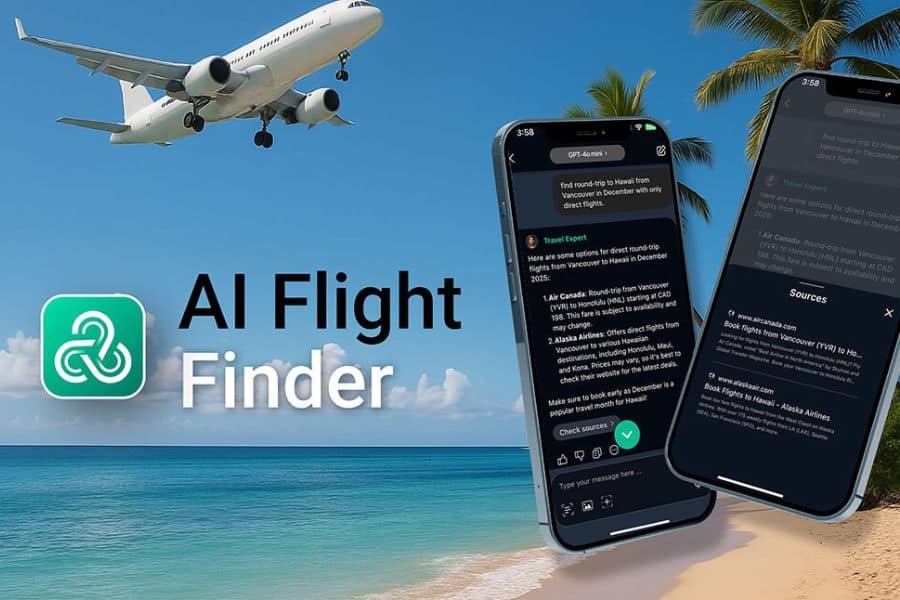
I’ve never been great at remembering to check flight prices. I start off with the best of intentions, and then life gets in the way. Then I found out AI could actually track a flight for me and flag it the moment the price moved.
The trick is asking it to keep watching, not just give you one snapshot. Most AI tools now let you set up a recurring check, so it refreshes prices in the background and only pings you when something’s actually worth acting on.
The prompt that worked:
“Track the price for a return flight from Bordeaux to London Stansted for two adults, departing [add your dates], and returning [add your dates]. Check the price once a day and notify me if it drops below $400 total, or if it rises so I know to book sooner. Also tell me now which day of the week tends to be cheapest for this route and how far in advance I should typically book.”
It’s been spot on so far, and getting a nudge the moment the price dropped meant I wasn’t the one opening the app and checking manually every day.
9. Building a Custom Google Map

Google’s My Maps feature lets you build a custom map with your own pinned locations, categorized by type, that you can pull up on your phone during the trip.
AI is useful for generating the initial list of pins in a structured format you can import and is saves so much time getting it to do the groundwork for you.
The prompt that worked:
“For my 12-day trip based in Sarlat, Cahors, and Saint-Émilion, give me a list of 40 locations to pin on a custom Google Map. Include hotels, restaurants I’ve booked, prehistoric caves, medieval villages, wineries with tastings under 20 euros, weekly markets with the day noted, and 3 emergency-useful spots per base town (pharmacy, ATM, gas station near the hotel). Format as a CSV with columns: name, address, category, notes.”
Import the CSV directly into My Maps. Now you have a color-coded map you can view offline once you download the region in Google Maps.
The offline feature is essential in rural areas where cell coverage drops out for miles at a stretch on the smaller D roads.
3 Epic AI Travel Fails
Non-Central Hotel
On one of the hotels AI recommended, I’d asked for a hotel in the center of Sarlat. What I got was a hotel 12 miles outside the center, a 15-minute drive away, with no restaurants within walking distance.
The AI had confused the hotel’s postal address with its physical location and had rated it based on aggregated reviews that were themselves confused. Always check the hotel’s actual location on a satellite view and read at least 5 recent reviews on Booking.com or Google before you commit.
Wrong Festival Date
I love festivals and asked it to tell me about any happening in the area during my trip. It told me about a great sounding food festival that I would have planned around. However, when I looked it up, I discovered it had ended three years earlier.
Never book a trip around an event you haven’t confirmed on an official source dated within the last 6 months. Tourist office websites, the event’s own social media, or a direct phone call are the only reliable ways to check.
Vanished Restaurant
I asked for a highly rated dinner spot near Rocamadour, somewhere that did a proper cassoulet, and it gave me a glowing paragraph about a little restaurant with a terrace overlooking the gorge.
It turned out the place had closed for good over a year earlier. AI had pulled its lovely description straight from old reviews and blog posts without checking whether the restaurant still existed, and it had no way of knowing it didn’t.
Always check a restaurant’s own website, its Google Business listing, or its Facebook page for a post within the last month before you build an evening around it. If none of those exist, or the most recent post is from two summers ago, that alone is your answer.
AI saved me a lot of time doing the planning groundwork and stopped me from making three or four expensive mistakes, but I still checked every restaurant, hotel, and road with human eyes before I committed.
Use it as a very fast, very well-read assistant who occasionally makes things up, and you’ll do fine.
Disclaimer: This article is for general information only and is not professional advice. It may contain affiliate links. Please see our full Editorial Policy for details.

Kylie Lang is a nationally syndicated travel journalist with bylines on the Associated Press Wire & more, a lifestyle writer, and the founder and editor of Your Lifestyle Library (yourlifestylelibrary.com). She holds a BA (Honours) in History from the University of Kent and is a member of the British Guild of Travel Writers.